Filtering by gestalt

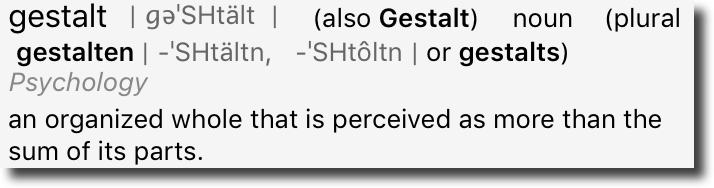
One of those $5.00 words I learned in the lab was gestalt. We were studying fetal alcohol syndrome (FAS) and, at the time, there were no consistent measurements or numbers that would drive a diagnosis of FAS. Diagnosis was by gestalt – that is by the patient looking like someone who had FAS.
It’s a funny word to say, it’s a funny word to hear. But it’s a useful term to describe the future of spam filtering. And I think we need to get used to thinking about filtering acting on more than just the individual parts of an email.
Filtering is not just IP reputation or domain reputation. It’s about the whole message. It’s mail from this IP with this authentication containing these URLs.  Earlier this year, I wrote an article about Gmail filtering. The quote demonstrates the sum of the parts, but I didn’t really call it out at the time.

Gmail uses a 10+ year old neural network that analyzes thousands of factors, related to email, IP, and web, integrated with all Google products, and with 99.9%+ accuracy for identifying certain types of messages, combined with an email-specific domain-based reputation system that combines IP reputation, content, read rates, reputation of other senders with similar content.

With filters, Gmail looks at the whole picture. They look at all the data and assess the whole.  Gmail filters by Gestalt. I think other companies are catching up and this is the filtering of the future.

So… what’s that mean?

That means that we’re not looking at warming up an IP or a domain. Instead we’re warming up a domain on an IP. Take the domain to another IP, and the reputation doesn’t carry. Change a domain on an IP and that needs to be warmed up as a domain/IP pair.
But even that is overly simplified from reality. It’s not a domain/IP pair, it’s this SPF domain, that d= domain, this IP, this DMARC alignment, these URLs, and on and on. A recent talk referred to warming up resources in relationship to each other, where resources were things like IPs, domains, and URLs.

Spamassassin with relative scores

I think most readers have a good feeling for how Spamassassin works. It has a bunch of rules, and assigns scores based to each rule. All the scores are added together and if they’re higher than a certain value the mail is filtered.
In more modern filtering, particularly at Gmail, scoring is dynamic. There are still rules and they still assign scores. But the scores themselves can be modified by other scores in the process. It’s not a simple sum of scores so changing anything can change the overall status of a message.
Take two identical messages and two IP addresses one with an arbitrary reputation of 5 and another with an arbitrary reputation of 10. By the score and sum method, the final email reputation scores would be message+5 and message+10. With relative scoring, though, the IP reputations might turn out to be 2 and 13.

Look at the whole picture

There’s a West Wing episode where Jeb is playing chess with multiple members of the White House staff while negotiating the international crisis of the week. Throughout the episode he tells staff to “look at the whole board.” This is really what we have to be doing in deliverability right now. We have to look at the whole board. We have to look at the whole face. We have to see the gestalt.
We can’t just look at the domains and URLs in a message, we have to consider them in context with the IP addresses. All mailstreams affect each other. No longer can we look at transactional messages as separate from marketing messages. The reputation of each affects the other.
This is actually good. It means that different mailstreams, even with the same URLs from the same IPs can develop independent reputations. It makes it easier to use shared IPs. Reputation isn’t reliant on keeping everything separate. It’s the whole picture that’s important.
Email is much more than the sum of its parts.


Related Posts

Gmail filtering in a nutshell

Gmail’s approach to filtering; as described by one of the old timers. This person was dealing with network abuse back when I was still slinging DNA around as my job and just reading headers as a hobby.

Read More

URL reputation and shorteners

A bit of  a throwback post from Steve a few years ago. The problem has gotten a little better as some shortening companies are actually disabling spammed URLs, and blocking URLs with problematic content. I still don’t recommend using a public URL shortener in email messages, though.
Any time you put a URL in mail you send out, you’re sharing the reputation of everyone who uses URLs with that hostname. So if other people send unwanted email that has the same URL in it that can cause your mail to be blocked or sent to the bulk folder.
That has a bunch of implications. If you run an affiliate programme where your affiliates use your URLs then spam sent by your affiliates can cause your (clean, opt-in, transactional) email to be treated as spam. If you send a newsletter with advertisers URLs in it then bad behaviour by other senders with the same advertisers can cause your email to be spam foldered. And, as we discussed yesterday, if spammers use the same URL shortener you do, that can cause your mail to be marked as spam.
Even if the hostname you use for your URLs is unique to you, if it resolves to the same IP address as a URL that’s being used in spam, that can cause delivery problems for you.
What does this mean when it comes to using URL shorteners (such as bit.ly, tinyurl.com, etc.) in email you send out? That depends on why you’re using those URL shorteners.
The URLs in the text/html parts of my message are big and ugly
Unless the URL you’re using is, itself, part of your brand identity then you really don’t need to make the URL in the HTML part of the message visible at all. Instead of using ‘<a href=”long_ugly_url”> long_ugly_url </a>’ or ‘<a href=”shortened_url”> shortened_url </a>’ use ‘<a href=”long_ugly_url”> friendly phrase </a>’.
(Whatever you do, don’t use ‘<a href=”long_ugly_url”> different_url </a>’, though – that leads to you falling foul of phishing filters).
The URLs in the text/plain parts of my message are big and ugly
The best solution is to fix your web application so that the URLs are smaller and prettier. That will make you seem less dated and clunky both when you send email, and when your users copy and paste links to your site via email or IM or twitter or whatever. “Cool” or “friendly” URLs are great for a lot of reasons, and this is just one. Tim Berners-Lee has some good thoughts on this, and AListApart has two good articles on how to implement them.
If you can’t do that, then using your own, branded URL shortener is the next best thing. Your domain is part of your brand – you don’t want to hide it.
I want to use a catchy URL shortener to enhance my brand
That’s quite a good reason. But if you’re doing that, you’re probably planning to use your own domain for your URL shortener (Google uses goo.gl, Word to the Wise use wttw.me, etc). That will avoid many of the problems with using a generic URL shortener, whether you implement it yourself or use a third party service to run it.
I want to hide the destination URL from recipients and spam filters
Then you’re probably spamming. Stop doing that.
I want to be able to track clicks on the link, using bit.ly’s neat click track reporting
Bit.ly does have pretty slick reporting. But it’s very weak compared to even the most basic clickthrough reporting an ESP offers. An ESP can tell you not just how many clicks you got on a link, but also which recipients clicked and how many clicks there were for all the links in a particular email or email campaign, and how that correlates with “opens” (however you define that).
So bit.ly’s tracking is great if you’re doing ad-hoc posts to twitter, but if you’re sending bulk email you (or your ESP) can do so much better.
I want people to have a short URL to share on twitter
Almost all twitter clients will abbreviate a URL using some URL shortener automatically if it’s long. Unless you’re planning on using your own branded URL shortener, using someone else’s will just hide your brand. It’s all probably going to get rewritten as t.co/UgLy in the tweet itself anyway.
If your ESP offers their own URL shortener, integrating into their reporting system for URLs in email or on twitter that’s great – they’ll be policing users of that just the same as users of their email service, so you’re unlikely to be sharing it with bad spammers for long enough to matter.
All the cool kids are using bit.ly, so I need to to look cool
This one I can’t help with. You’ll need to decide whether bit.ly links really look cool to your recipient demographic (Spoiler: probably not) and, if so, whether it’s worth the delivery problems they risk causing.
And, remember, your domain is part of your brand. If you’re hiding your domain, you’re hiding your branding.
So… I really do need a URL shortener. Now what?
It’s cheap and easy to register a domain for just your own use as a URL shortener. Simply by having your own domain, you avoid most of the problems. You can run a URL shortener yourself – there are a bunch of freely available packages to do it, or it’s only a few hours work for a developer to create from scratch.
Or you can use a third-party provider to run it for you. (Using a third-party provider does mean that you’re sharing the same IP address as other URL shorteners – but everyone you’re sharing with are probably people like you, running a private URL shortener, so the risk is much, much smaller than using a freely available public URL shortener service.)
These are fairly simple fixes for a problem that’s here today, and is going to get worse in the future.

Read More

Deliverability and IP addresses

Almost 2 years ago I wrote a blog post titled The Death of IP Based Reputation. These days I’m even more sure that IP based reputation is well and truly dead for legitimate senders.
There are a lot of reasons for this continued change. Deliverability is hard when some people like the same email other people think is spam

Read More