Three things marketers should do when domains are retired
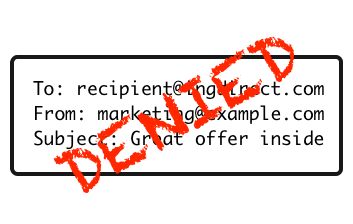
Denied
A few weeks ago I was alerted to a domain change for INGDirect. The ingdirect.com domain is being retired and all users are migrating to the capitalone.com domain. As part of this change usernames are NOT being transferred, so if you have @ingdirect.com addresses on any B2B mailing list, you will need to drop those addresses and find the new contact information for the subscriber.

What should marketers do when domains are retired?

  1. If the retirement is announced publicly before the domain is actually retired, send a special campaign to those subscribers asking for their updated information. Not all retirements are public, so that leads us to my second recommendation.
  2. Have an easy way for recipients to change their email address. Loren McDonald just went through an email address change and blogged about how difficult it was for him to change his email address on many mailing lists. These are subscribers that want to stay on your list, make it as easy as possible for them to do so.
  3. Check your database for addresses in that domain and make sure there is no way they can be mailed in the future. Relying on your bounce handler to invalidate the addresses isn’t enough. Failing to correctly invalidate addresses correctly means you’re at risk if a domain is turned on or donated to a filtering company. In fact, a couple of the biggest spam trap feeds around are former corporate domains removed from circulation for 3 or 4 years and then turned back on.

Domains go in and out of circulation all the time. Effective marketers have plans in place to deal with those issues as they happen.

Related Posts

April: The month in email

April was a big month of changes in the email world, and here at Word to the Wise as we launched our new site, blog and logo.
DMARC
The big story this month has been DMARC, which started with a policy change Yahoo made on April 4 updating their DMARC policy from “report” to “reject”. We began our coverage with a brief DMARC primer to explain the basics around these policy statements and why senders are moving in this direction. We shared some example bounces due to Yahoo’s p=reject, and talked about how to fix discussion lists to work with the new Yahoo policy. We gathered some pointers to other articles worth reading on the Yahoo DMARC situation, and suggested some options for dealing with DMARC for mail intermediaries. Yahoo issued a statement about this on April 11th, explaining that it had been highly effective in reducing spoofed email. We also noted a great writeup on the situation from Christine at ReturnPath. On April 22nd, AOL also announced a DMARC p=reject record.  We talked a bit about who might be next (Gmail?) and discussed how Comcast chose to implement DMARC policies, using p=reject not for user email, but only for the domains they use to communicate directly with customers. We expect to see more discussion and policy changes over the next few weeks, so stay tuned.
Spamtraps
We wrote three posts in our continuing discussion about spamtraps. The first was in response to a webinar from the DMA and EEC, where we talked about how different kinds of traps are used in different ways, and, again, how spamtraps are just a symptom of a larger problem. Following that, we wrote more about some ongoing debate on traps as we continued to point out that each trap represents a lost opportunity for marketers to connect with customers, which is really where we hope email program managers will focus. And finally, we tried to put some myths about typo traps to rest. As I mentioned in that last post, I feel like I’m repeating myself over and over again, but I want to make sure that people get good information about how these tools are used and misused.
Security
We started the month by saying “Security has to become a bigger priority for companies” and indeed, the internet continued to see security breaches in April, including the very serious Heartbleed vulnerability in SSL. In the email world, AOL experienced a compromise, which contributed to some of the DMARC policy changes we discussed above. In a followup post, we talked about how these breaches appear to be escalating. Again, we expect to hear more about this in the next weeks and months.
Best Practices
Ending on a positive note, we had a few posts about best practices and some email basics. We started with a pointer to Al Iverson’s post on masking whois info and why not to do it. Steve wrote up a comprehensive post with everything you ever wanted to know about the From header and RFC5322. I talked about how companies ignore opt-outs, and why they shouldn’t. I shared a really good example of a third-party email message, and also talked about message volume. And finally, we talked about how and why we warm up IP addresses.
Let us know if there’s anything you’d like to hear more about in May!

Read More

It's about the spam

Tell someone they have hit a spamtrap and they go through a typical reaction cycle.
Denial: I didn’t hit a trap! I only send opt-in mail. There must be some mistake. I’m a legitimate company, not a spammer!
Anger: What do you mean that I can’t send mail until I’ve fixed the problem? There is no problem! You can’t stop me from mailing. I’m following the law. My mail is important. I’ll sue.
Bargaining: What if I just send mail to some recipients? What if I hire an email hygiene company to remove traps from my list?
Acceptance: What can I do to make sure the people I’m mailing actually want to be on my list?
Overall, my problem with the focus on spamtraps (and complaints to a lesser extent) is that these metrics are proxies. Spamtraps are a way to objectively monitor incoming email. Mail sent to spamtraps is, demonstrably, sent without permission of the address owner. This doesn’t mean all mail from the same source is spam, but there is proof at least some of the mail is spam.
If there is enough bad mail on that list, then reworking the subscription process may be necessary to fix delivery.

Read More

Typo traps

People make all sorts of claims about typo traps. One claim that showed up recently was that Spamhaus has just started using typo traps. I asked my Facebook network when people started using typos to detect incoming spam.
Two different colleagues mentioned using typos, both on the left hand side and the right hand side, back in ’98 and ’99.
The point is, typo traps are absolutely nothing new. They are, in fact, as old as spam filtering itself. And as one of trap maintainers remind me, not all of them even look like typos. It’s not as simple as hotmial.com or gmial.com.
I really think that focusing on traps is paying attention to the wrong thing.
The traps are not the issue. The underlying issue is that people are signing up addresses that don’t belong to them. Sometimes those are addresses that are spamtraps. Sometimes those are simply addresses that belong to someone else. Those addresses don’t belong to customers, they belong to random people who may never have heard of the sender. Sending mail to those people is sending spam.
Just trying to remove traps from your address lists isn’t going to solve the underlying problem. Instead, focus on improving your data process to keep from sending mail to random strangers.

Read More